
Vision holds the door for the whole session
Pick the target, pick the length, and the apps and sites you chose go dark until it is over.

Vision turns your business priorities into protected work sessions and tells you how you've executed. Not a task manager, but a performance software.
Free to start. macOS 15 or later, iOS 18 or later.
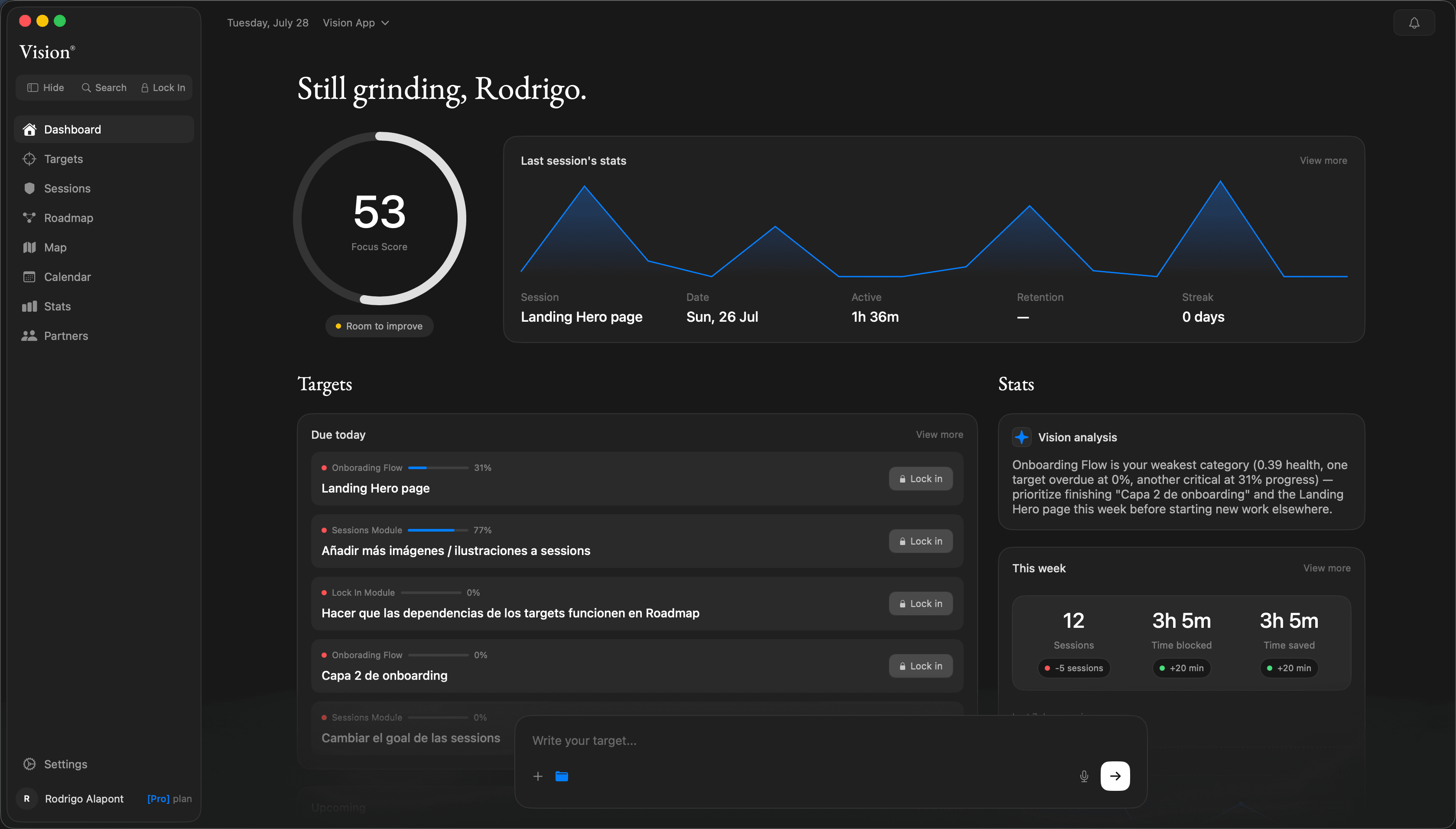
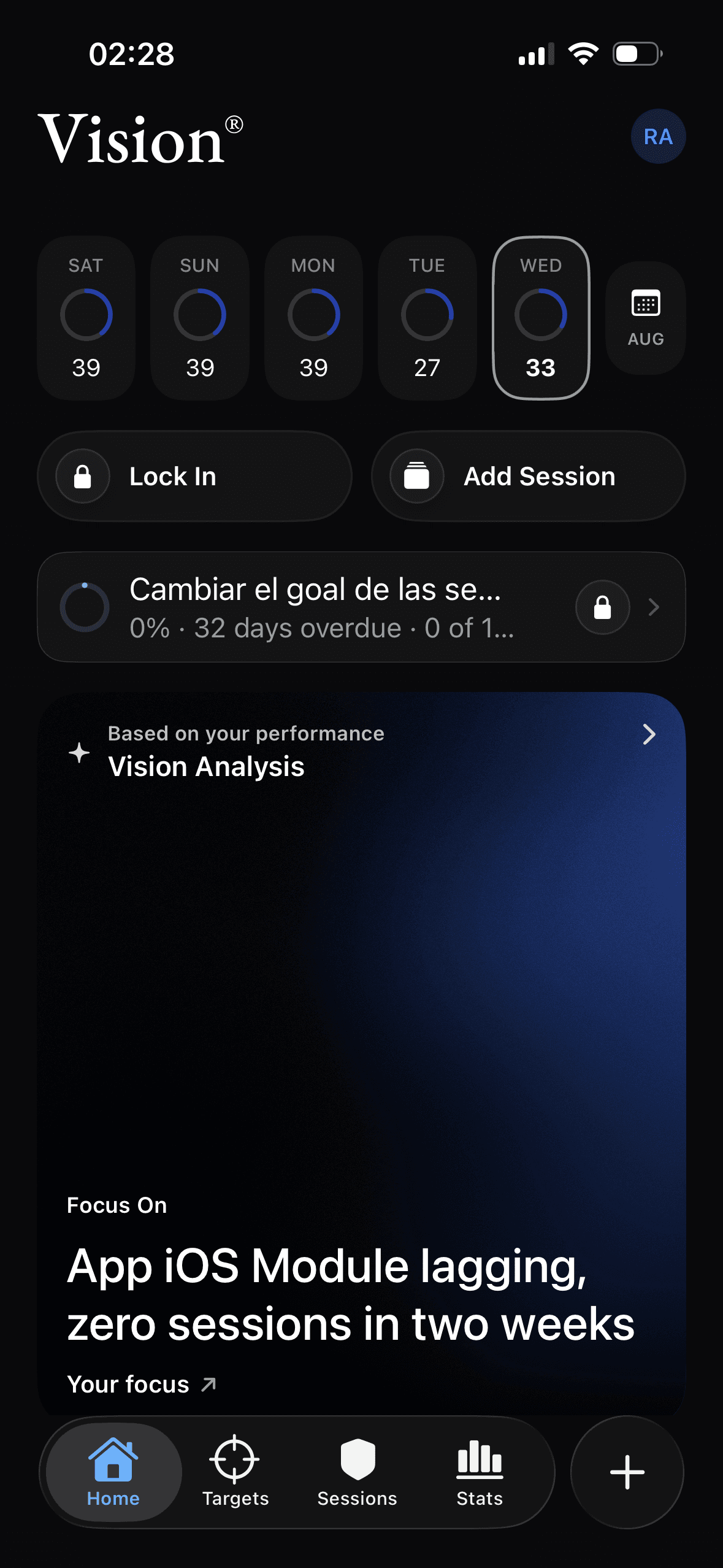
Pick the target, pick the length, and the apps and sites you chose go dark until it is over.
Strict does not argue with you and does not just let go. It waits, then asks you to type it out.
A target is an outcome with a figure and a date. Vision works out how exposed each one is from your own pace against its deadline, so the order on this screen is not one you chose.
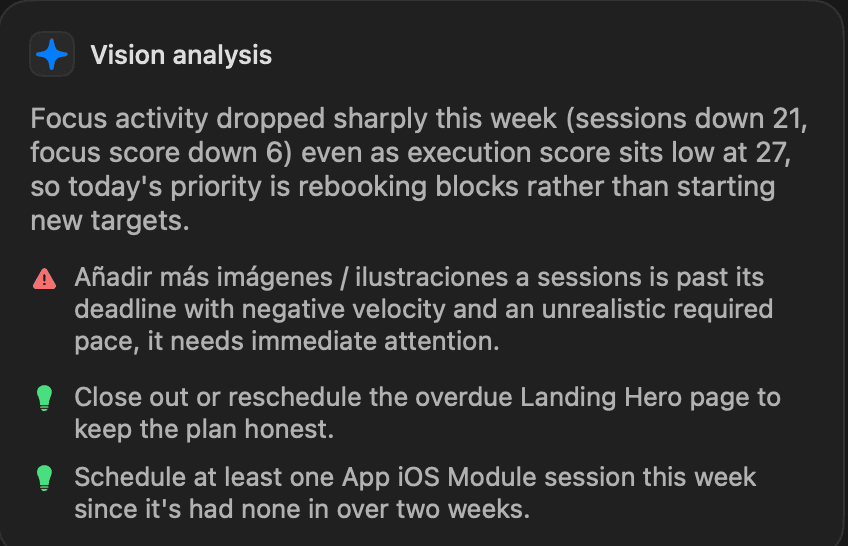
Vision Analysis does not summarise your notes, because you never wrote any. It reads what your sessions and targets did, then says what that means for today.
Sessions, targets, categories and pace. Every one of them measured by the app, none of them typed in by you.
No mood check, no Friday review form. It already knows what happened, so it does not ask.
What the week actually did, which target is now at risk, and the specific thing to do about it today.
Four measured things decide your Focus Score, and none of them is something you report. This is one real week, with the app doing the arithmetic.
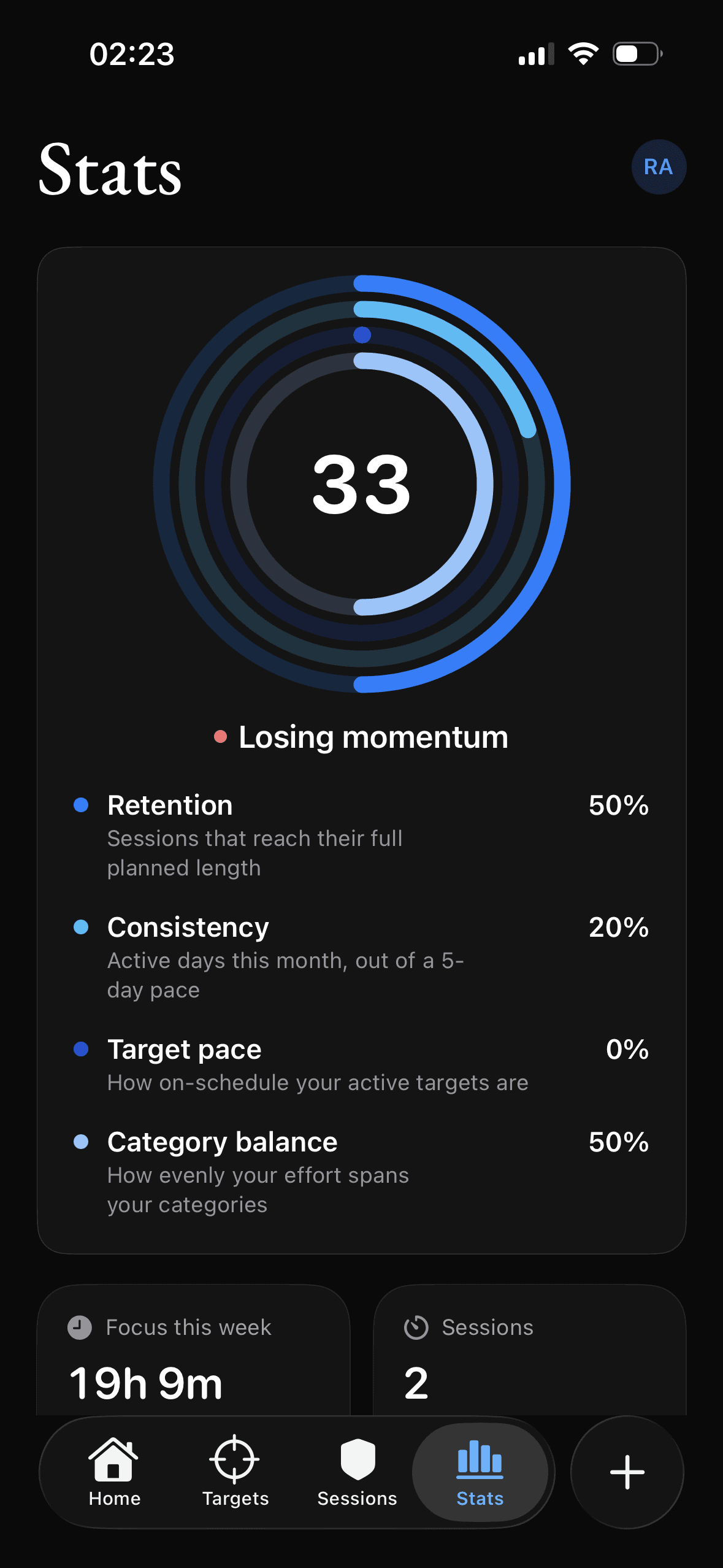
The score compares what your sessions actually did against what they planned to do. When that stops adding up it says so, on the first screen you open, without waiting to be asked.
33Focus ScoreSessions that reach their full planned length
Active days this month, out of a 5 day pace
How on schedule your active targets are
How evenly your effort spans your categories
Every app here asks you to be disciplined at the exact moment you are not. Hardcore takes the choice off the table instead.
Force quitting does nothing. On iPhone the session runs in a Screen Time extension, in its own process. Killing Vision does not lift the shield, because Vision is not the thing holding it.
Restarting does nothing. On Mac a privileged helper owns the website block and puts it back every time it launches, including at boot before you have logged in.
You cannot delete your way out. While a Hardcore session runs, removing the app is disabled at the system level. The most obvious escape hatch was the first one closed.
A timer measures minutes. Vision ties each session to the target that decides your quarter and updates a Focus Score from what actually happened, whether you check in or not. The number is computed from your sessions, never typed in.
Strict shows a 60 second countdown and asks you to type END before it lets you leave early. Hardcore removes that exit completely. Its only stand down is an Emergency Stop: type STOP, three per rolling seven days, every use logged. Core accounts can run 5 Hardcore sessions a week; Edge and Max are unlimited.
Vision blocks the specific apps and sites you chose, not your device. Calls, messages and the system's own alerts always get through, because a session only ever locks what you told it to lock.
Mac and iPhone, on one account. Start a session on either and the other locks with it, and both write to the same history, so the score counts the work wherever you did it.
On iPhone it uses Apple's own Screen Time framework, which is why the block survives force quitting Vision and why the app cannot be deleted mid Hardcore session. On Mac a privileged helper holds the website block and puts it back at every launch, including after a reboot before you log in. Mac app blocking is lighter than that by design.
Any time. Subscriptions bought on iPhone are managed in your App Store settings; subscriptions bought on the Mac are managed here. Your data stays yours on every plan, including the free one.
Free on Mac and iPhone. Start on Core and upgrade when it compounds.
Free to start. macOS 15 or later, iOS 18 or later.